API Key
Middleware API Keys authenticate two different operations: sending telemetry to Middleware and accessing Middleware data through APIs. The key type depends on which operation your integration performs.
Middleware provides two types of API keys:
- Ingestion Key — Used to send telemetry data to Middleware.
- Public API Key — Used to access Middleware data through APIs.
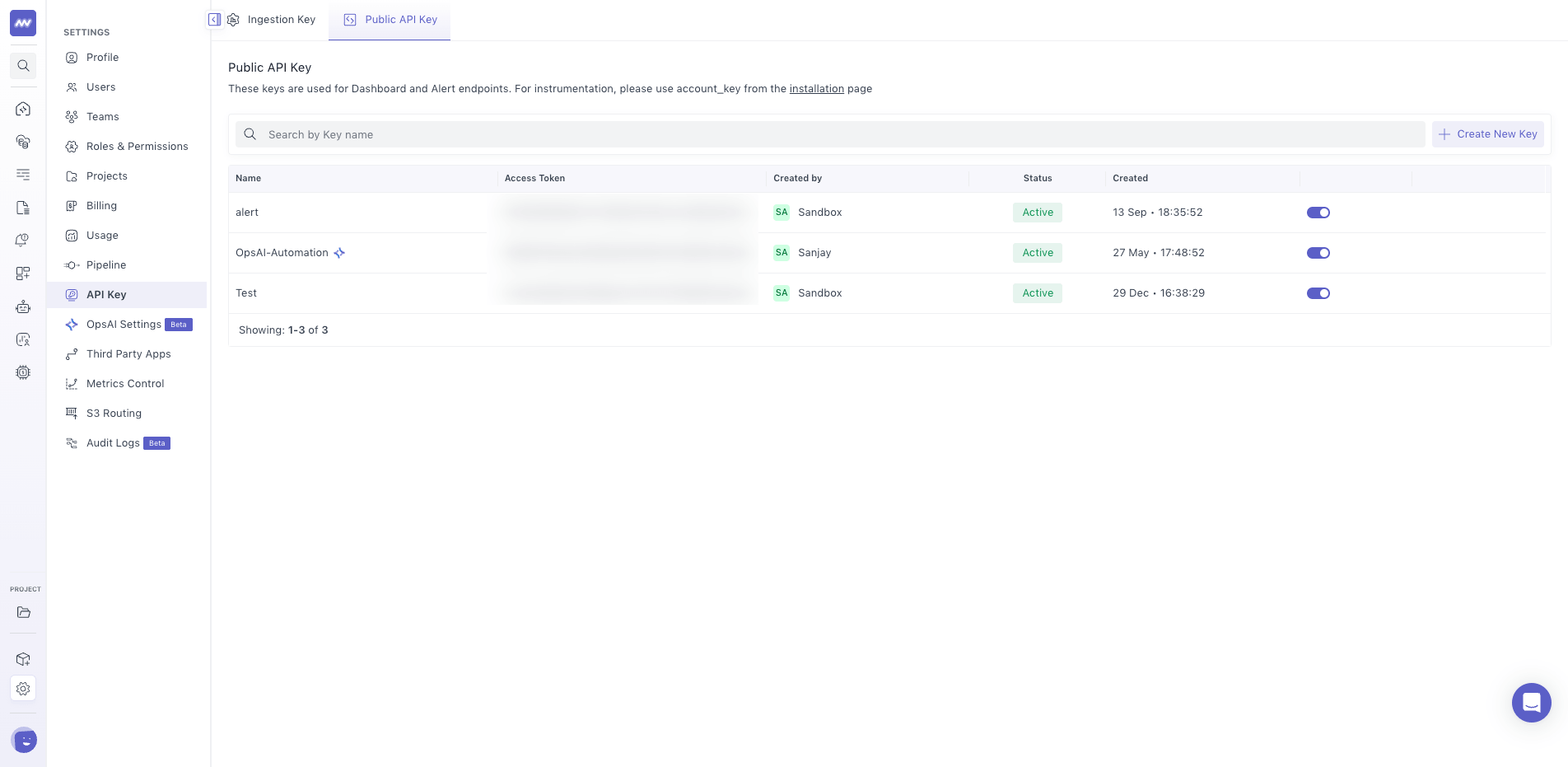
Go to: Settings → API Keys
The API Keys page contains separate sections for Ingestion Keys and Public API Keys.
Ingestion Key#
An Ingestion Key is used when instrumenting your applications and infrastructure to send telemetry data to Middleware.
You can use the ingestion key for:
- Middleware Agent installation
- APM instrumentation
- RUM instrumentation
- Other telemetry ingestion
Project-Specific Ingestion Keys#
Each Middleware project has its own ingestion key.
Data sent using a project's ingestion key is associated with that project.
Project-specific ingestion keys keep telemetry data associated with the intended project, such as a production environment or a separate client’s data.
Public API Key#
A Public API Key is used when you need to access data from your Middleware account through an API.
Go to the Public API Key section to create a key and get the access token required for API authentication.
Use this key when integrating an external application or service with Middleware APIs.
Create a Public API Key#
To create a Public API Key:
- Go to Settings → API Keys.
- Open the Public API Key section.
- Create a new key.
- Use the generated access token when authenticating API requests.
Keep the access token secure and use it only in applications or services that need API access.
Need assistance or want to learn more about Middleware? Get in touch with us via our Contact Us or join our Slack channel.
What did you think of this content?