Install the Middleware.io Agent on macOS
The Middleware Infrastructure Agent collects macOS host telemetry to help you monitor resource usage and investigate host performance. Configured logs and application traces add context about the workloads running on the host.
Use this integration to monitor macOS hosts and send their infrastructure and application telemetry to Middleware.
Prerequisites#
Before installing the Middleware Infrastructure Agent on macOS, make sure your system meets the following requirements:
- macOS Version: v10.15 (Catalina) or later
- Hardware: Apple Silicon (M1/M2/M3/M4) or Intel (x86_64)
- Permissions: You’ll need admin (
sudo) access to install
Install#
There are two ways you can install the Middleware agent on macOS. You can either use the one-liner command execution or go with the GUI installer.
Copy & paste by replacing the placeholders:
1MW_API_KEY="<MW_API_KEY>" MW_TARGET="https://<MW_UID>.middleware.io:443" \
2bash -c "$(curl -L https://install.middleware.io/scripts/mw-macos-agent-install.sh)"
The above command will trigger the following:
- Auto-detects your CPU (Apple Silicon vs Intel) and installs into
/opt/mw-agent. - Config files land in
/etc/mw-agent; logs in/var/log/mw-agent.
- Download the PKG for your architecture from GitHub:
- Apple Silicon: Middleware agent for Apple Silicon
- Intel: Middleware package for Apple Intel machine
- Double-click the
.pkgand follow the wizard. - Enter your
MW_API_KEYandMW_TARGETwhen prompted.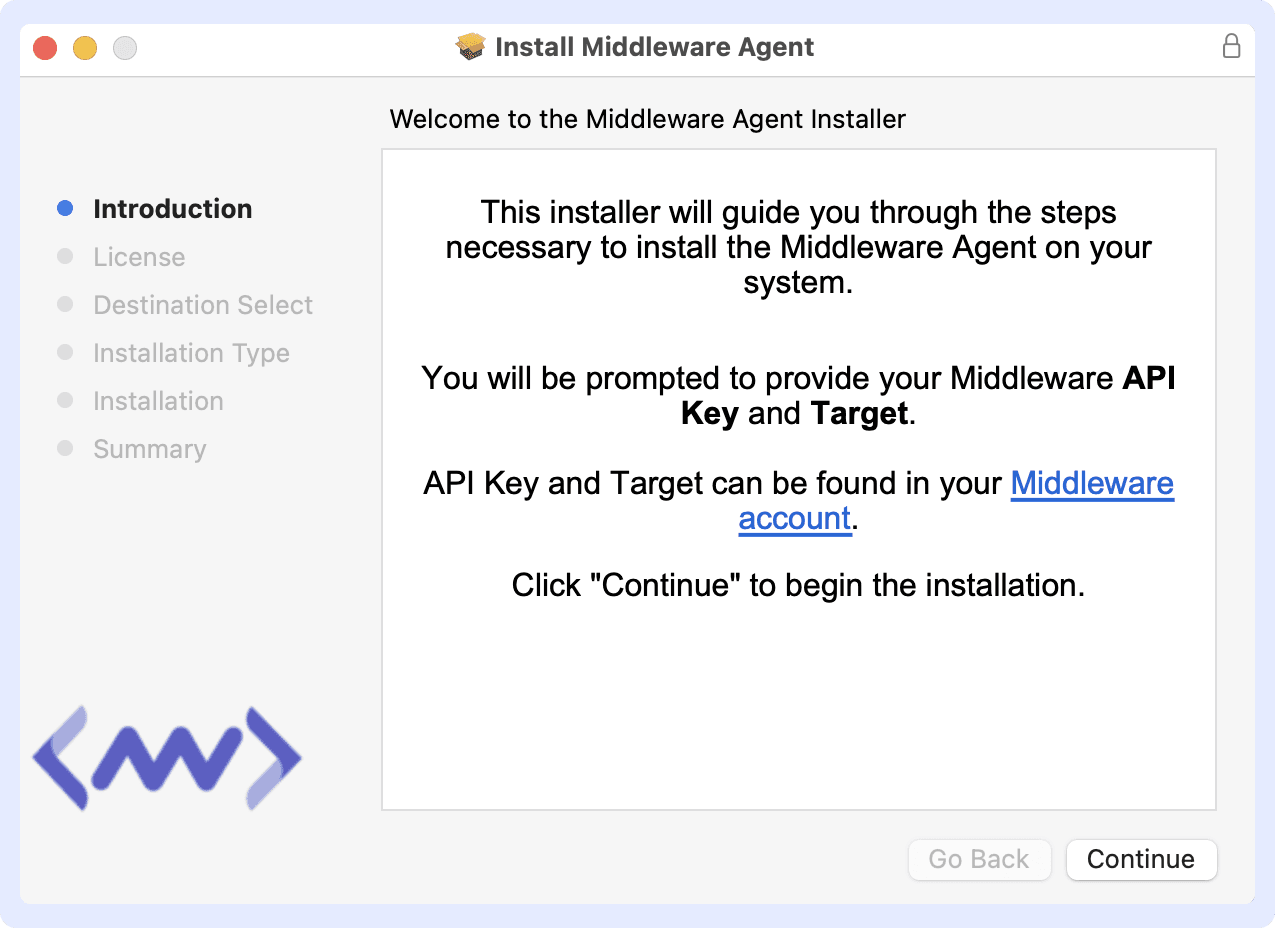
Agent Directory Layout#
| Path | Contents |
|---|---|
/opt/mw-agent | Agent binary & libraries |
/etc/mw-agent | mw-agent.yaml & conf.d/ |
/var/log/mw-agent | Agent log files |
Why this matters: A clear, sandboxed layout makes upgrades, backups, and troubleshooting straightforward.
Verify Installation#
Once you are done with the previous steps, the installation can be verified using the following:
1sudo launchctl list | grep mw-agentA healthy agent returns something like:
133105 0 io.middleware.mw-agentVerify data collection#
After installing the Agent, allow a few moments for the host to start reporting telemetry.
Go to Infrastructure Monitoring → Hosts and verify that your macOS host appears and is reporting metrics.
After data collection starts, you can:
- View host metrics in Infrastructure Monitoring.
- View collected host logs in Log Monitoring.
- Create alerts for collected metrics.
- Create custom dashboards to visualize and monitor macOS host metrics.
Troubleshooting#
Common issues and how to resolve them:#
- Multiple Agents Running
- Only one MW Agent should be installed per macOS host.
1sudo launchctl list | grep mw-agent - If you see more than one entry, remove duplicates:
1sudo /opt/mw-agent/uninstall.sh
- Only one MW Agent should be installed per macOS host.
- No Data Appearing in Middleware.io
- Network access: Verify the host can reach your
MW_TARGETURL on port 443. - API key validity: Double-check that
MW_API_KEYis correct. - Proxy/firewall: Ensure no proxy or firewall is blocking outbound traffic.
- Network access: Verify the host can reach your
- Installation Script Errors
- Permission issues: Rerun the install command with
sudo. - Inspect logs:
1ls /var/log/mw-agent/
2tail -n 50 /var/log/mw-agent/install.log
- Permission issues: Rerun the install command with
If errors persist, contact support with the log excerpt.
Uninstall#
- Run the uninstall script:
1sudo /opt/mw-agent/uninstall.sh - Confirm cleanup:
1ls /opt/mw-agent         # should report "No such file or directory"
2ls /etc/mw-agent         # no directory
3ls /var/log/mw-agent     # no directory
Need assistance or want to learn more about Middleware? Get in touch with us via our Contact Us or join our Slack channel.
What did you think of this content?