Error Tracking
Middleware RUM Error Tracking groups capture frontend errors and provide context about their frequency, affected users, and application versions.
Use it to investigate error spikes, inspect source-mapped stack traces, and review related sessions. The session context helps explain what happened before and after an error rather than relying on the error message alone.
Go to: Real User Monitoring → Applications → select an application → Error Tracking
View Errors#
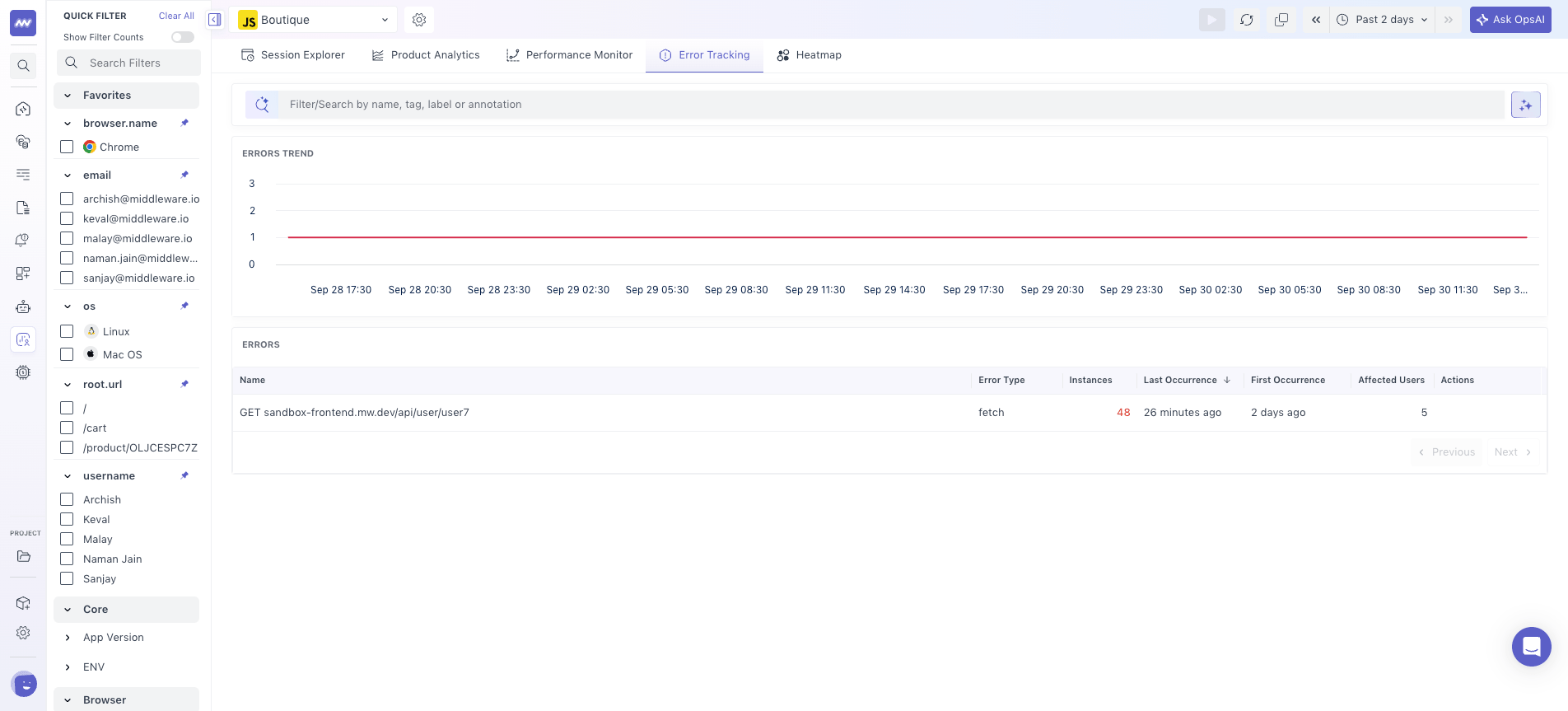
The Error Tracking page provides an error trend and a list of grouped frontend errors for the selected time range.
Use the Errors Trend graph to monitor error volume over time and identify when an increase or regression started.
Each row in the error list represents a group of errors with the same message and stack signature.
The list includes:
- Name: Error name or normalized error message.
- Error Type: Type of error, such as
error,xhr, orconsoleError. - Instances: Number of times the error occurred.
- Last Occurrence: Most recent occurrence.
- First Occurrence: First occurrence within the selected range.
- Affected Users: Number of users or sessions impacted by the error.
Search or sort the list to identify errors that need investigation, then select an error to open its detail panel.
Error Details#
Select an error from the list to open its detail panel.
The panel is organized into two main tabs:
- Error Details
- Related Sessions
Use Error Details to investigate the error itself and Related Sessions to understand how the error affected individual user sessions.
Error Details Tab#
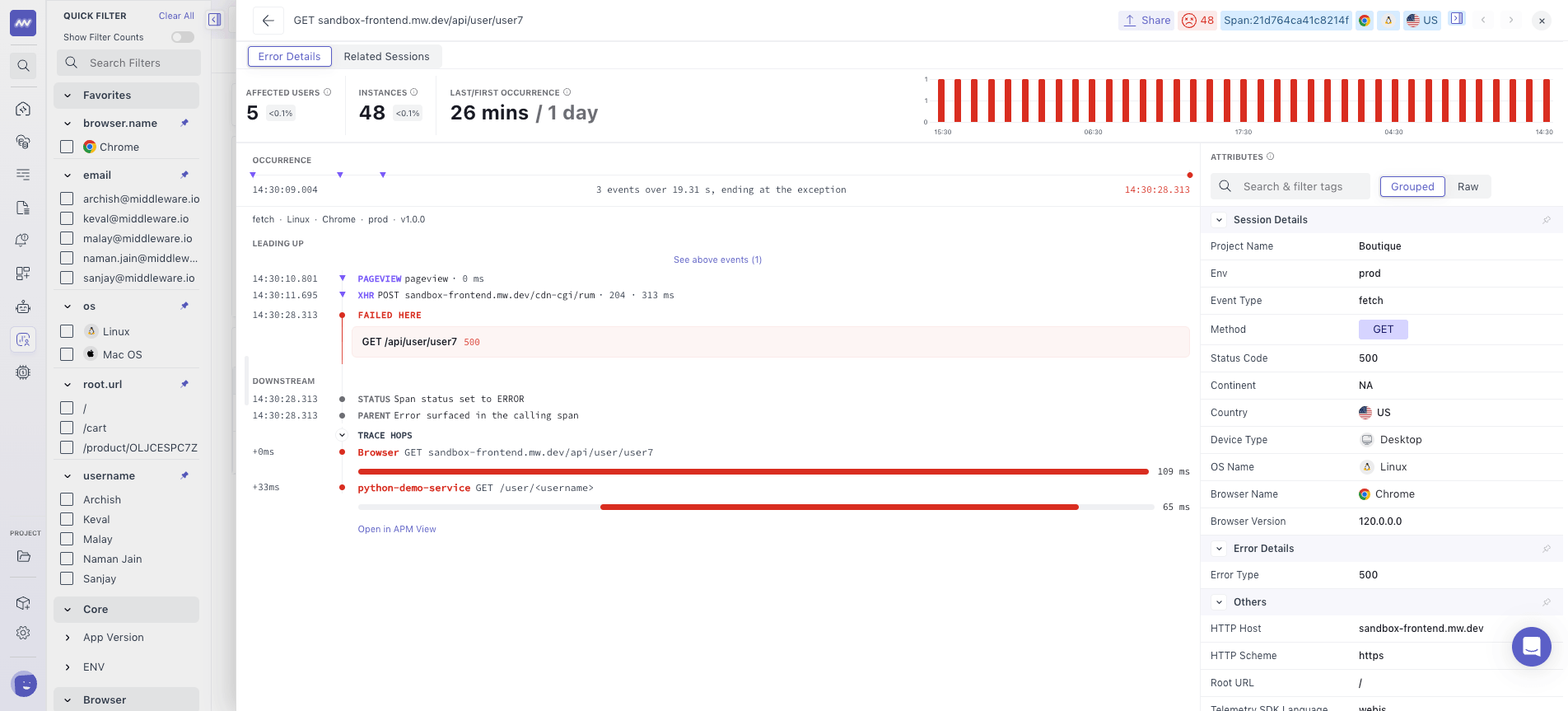
The Error Details tab provides the stack trace, occurrence information, error trend, and attributes associated with the selected error group.
The summary provides key information about the error's impact:
- Affected Users: Users impacted by the error.
- Instances: Number of error occurrences.
- First Occurrence: When the error first appeared.
- Last Occurrence: Most recent occurrence.
- Errors over time: Trend of occurrences for the selected error group.
The first and last occurrence show when the error was observed. Together with the occurrence trend, they help you assess whether it began around a deployment or another application change.
Need assistance or want to learn more about Middleware? Get in touch with us via our Contact Us or join our Slack channel.
What did you think of this content?