Performance Monitoring
Middleware RUM Performance Monitoring summarizes frontend performance signals collected from your applications. It helps you identify changes in page performance, errors, and API activity before investigating individual sessions or requests.
Use it to monitor Web Vitals, page and resource performance, frontend errors, deployment impact, and API activity from one place.
Go to:
Real User Monitoring → Applications → select an application → Performance Monitoring
Performance data is organized into the following tabs:
- Overview
- Performance
- Errors
- Deployment
- API
Overview#
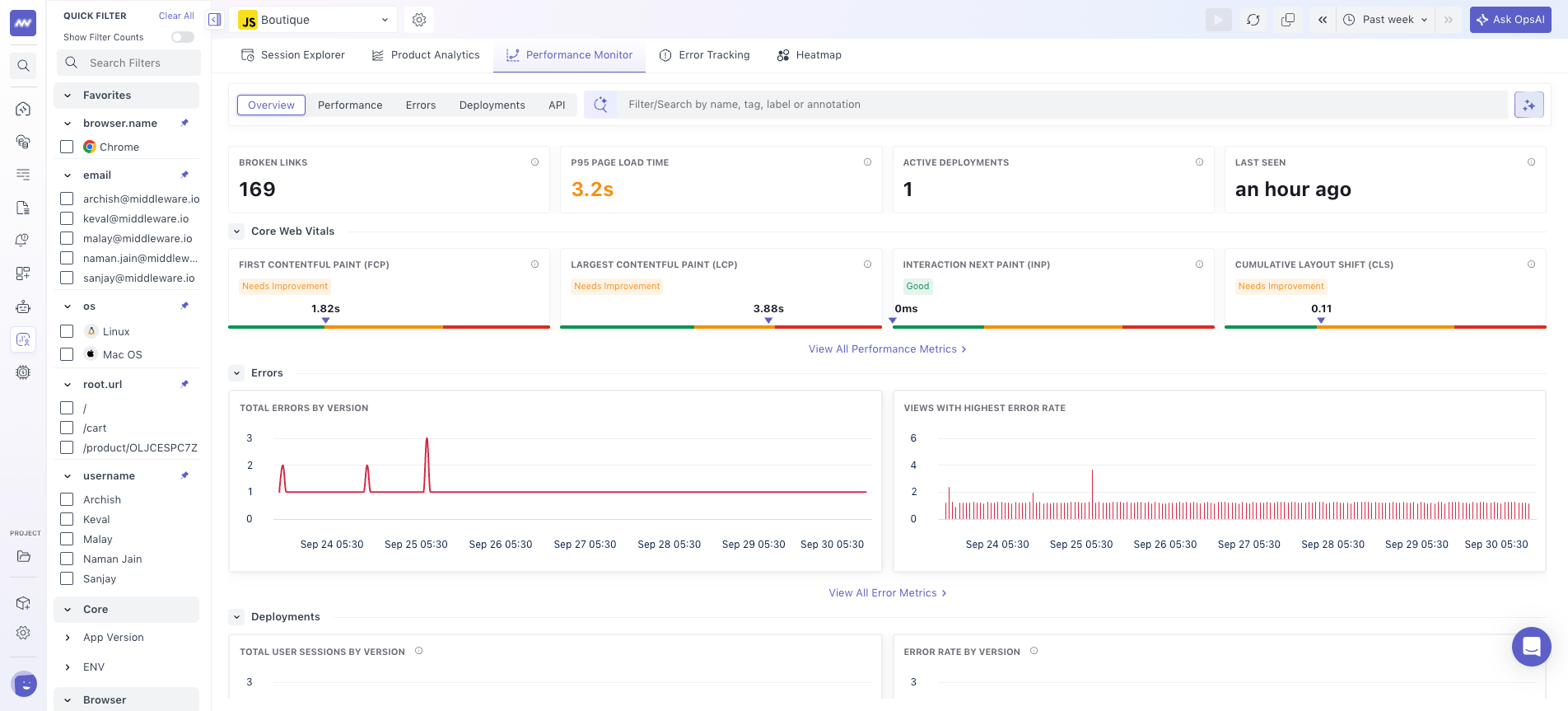
The Overview tab provides a summary of key metrics across your application.
The overview brings Web Vitals, errors, deployments, and API activity together so you can see which area needs further investigation.
Use this view to identify changes in frontend performance and determine which category needs further investigation.
Performance#
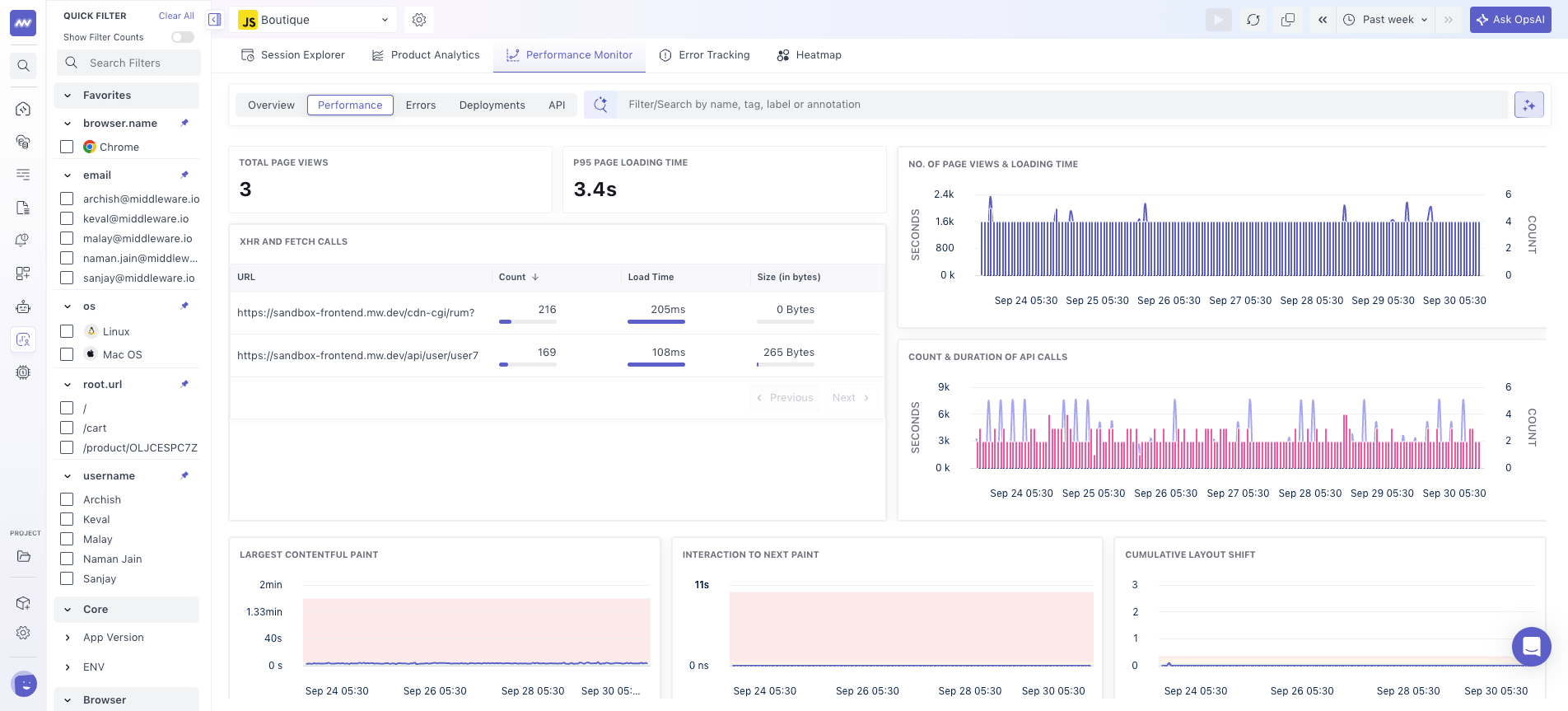
The Performance tab focuses on frontend loading and request performance.
It provides metrics related to:
- Page loads
- Fetch calls
- Request latency
- Loading time
Use these metrics to understand how quickly your application loads and responds for real users and to identify changes in frontend performance over the selected time range.
Errors#
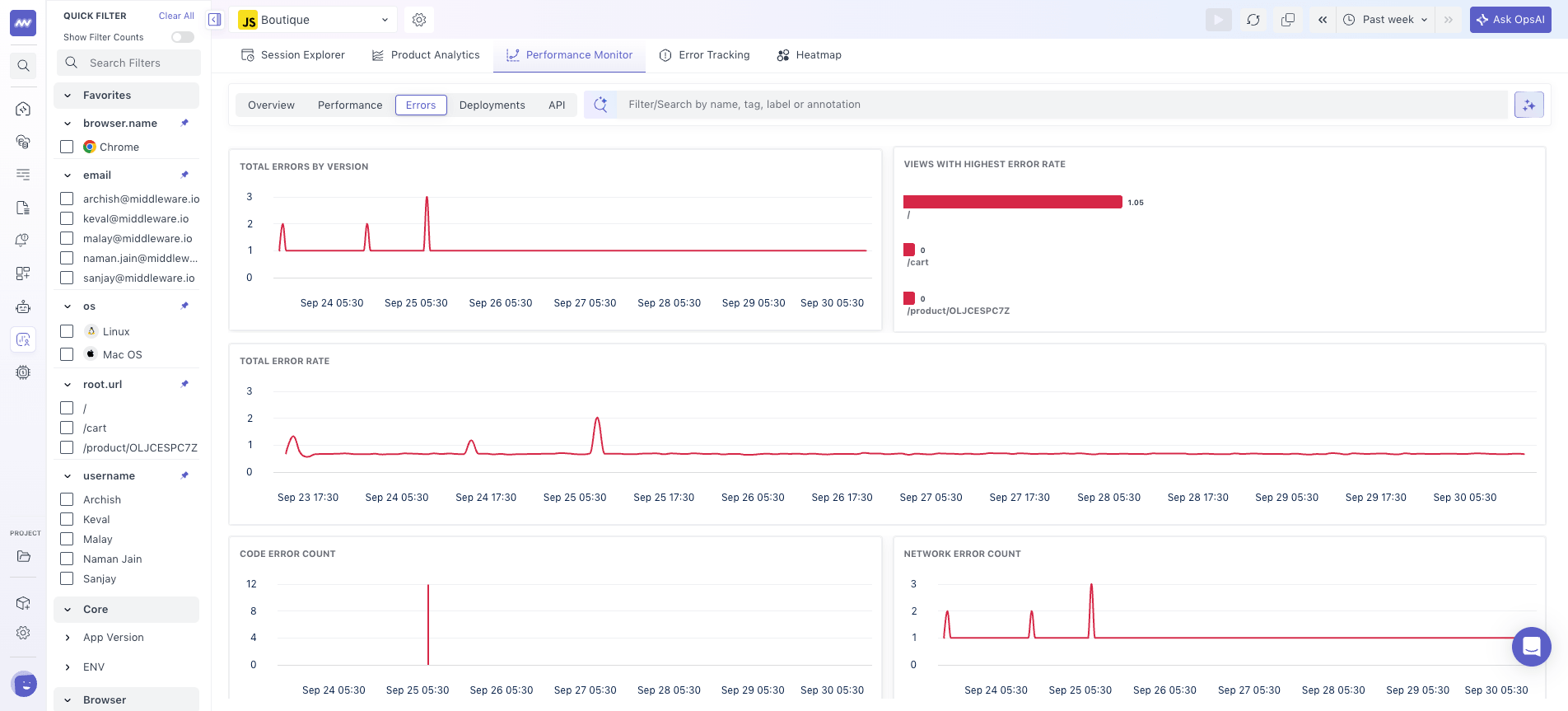
The Errors tab provides an application-level view of errors affecting user sessions.
You can monitor:
- Total error count
- Error trend over time
- Network error trend
- Sessions impacted by errors
Use this view to identify increases in errors and understand how many user sessions are affected.
For deeper investigation into an individual user experience, open the relevant session in Session Explorer and correlate the error with the session replay, network activity, console output, and related traces.
Deployment#
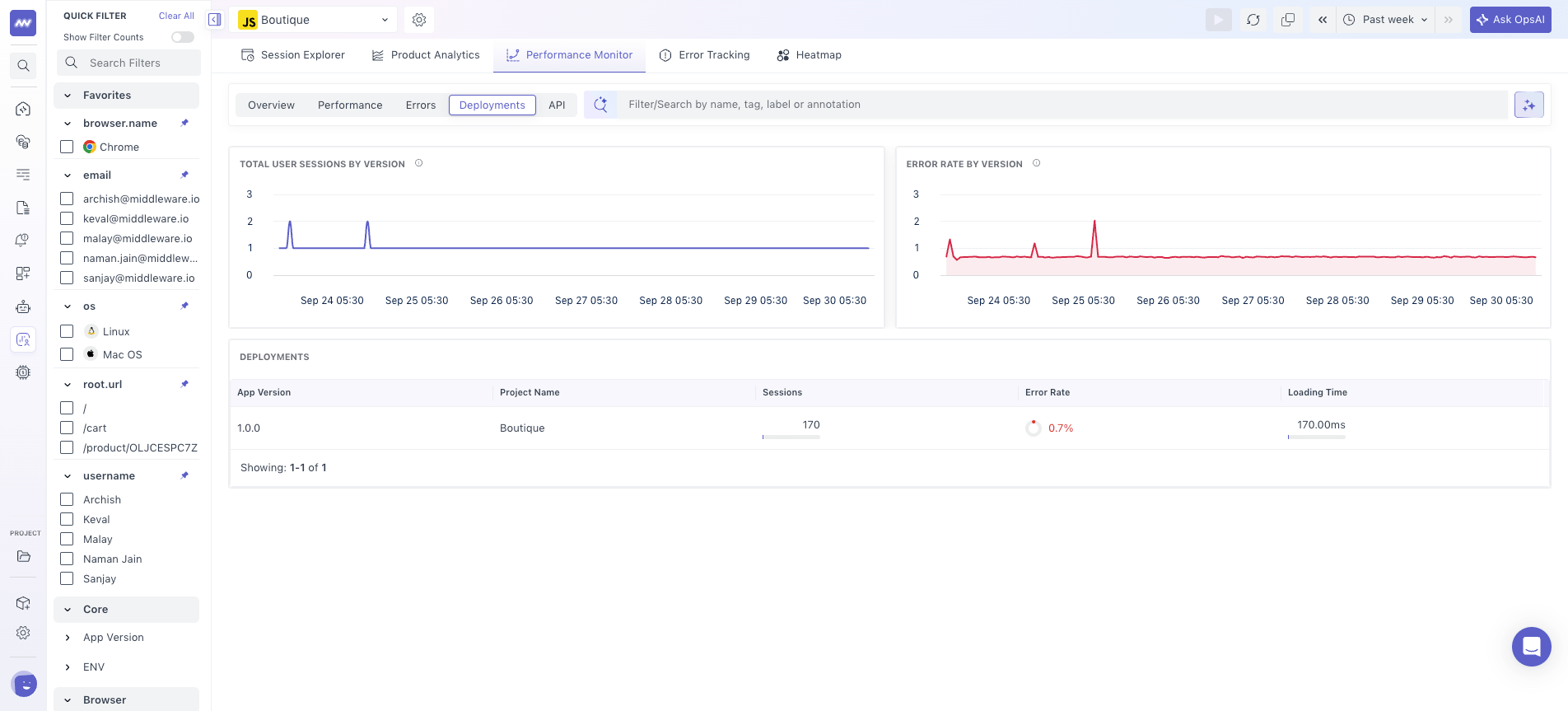
The Deployment tab helps you compare application behavior across deployments.
For each deployment, you can review information such as:
- Errors
- Loading time
- Sessions
- Performance trends
Use this view to check whether frontend performance or errors changed after a deployment.
For example, if loading time or error volume increases for a new version, compare its metrics with previous deployments to narrow the investigation to the affected release.
API#
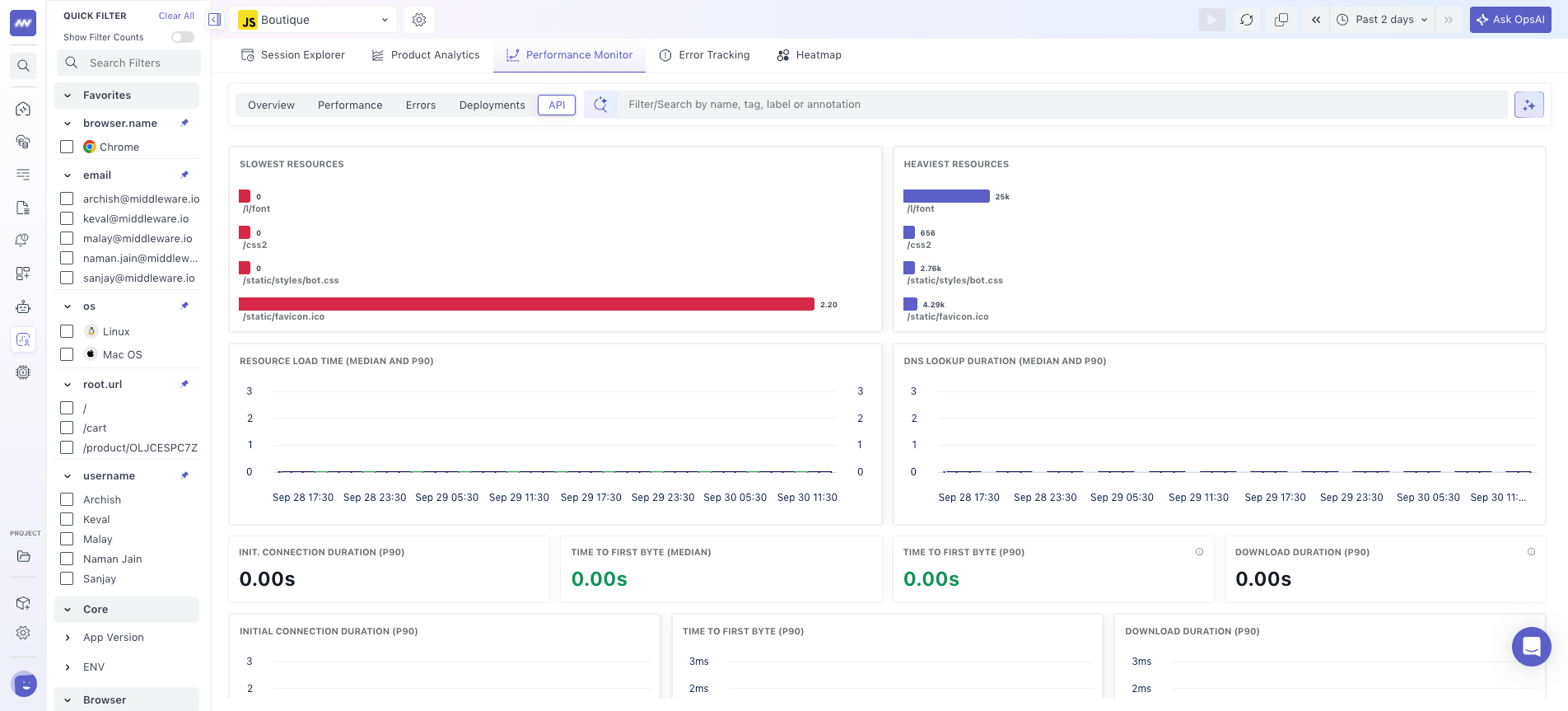
The API tab provides visibility into resources and network activity affecting frontend performance.
It includes views for:
- Heaviest resources: Resources that take more time to load.
- Slowest resources: Resources with higher loading times.
- Connection metrics: Network connection-related performance signals.
Use this view to identify resources or network activity contributing to slow application loading and determine which requests need further investigation.
Need assistance or want to learn more about Middleware? Get in touch with us via our Contact Us or join our Slack channel.
What did you think of this content?