Audit logs
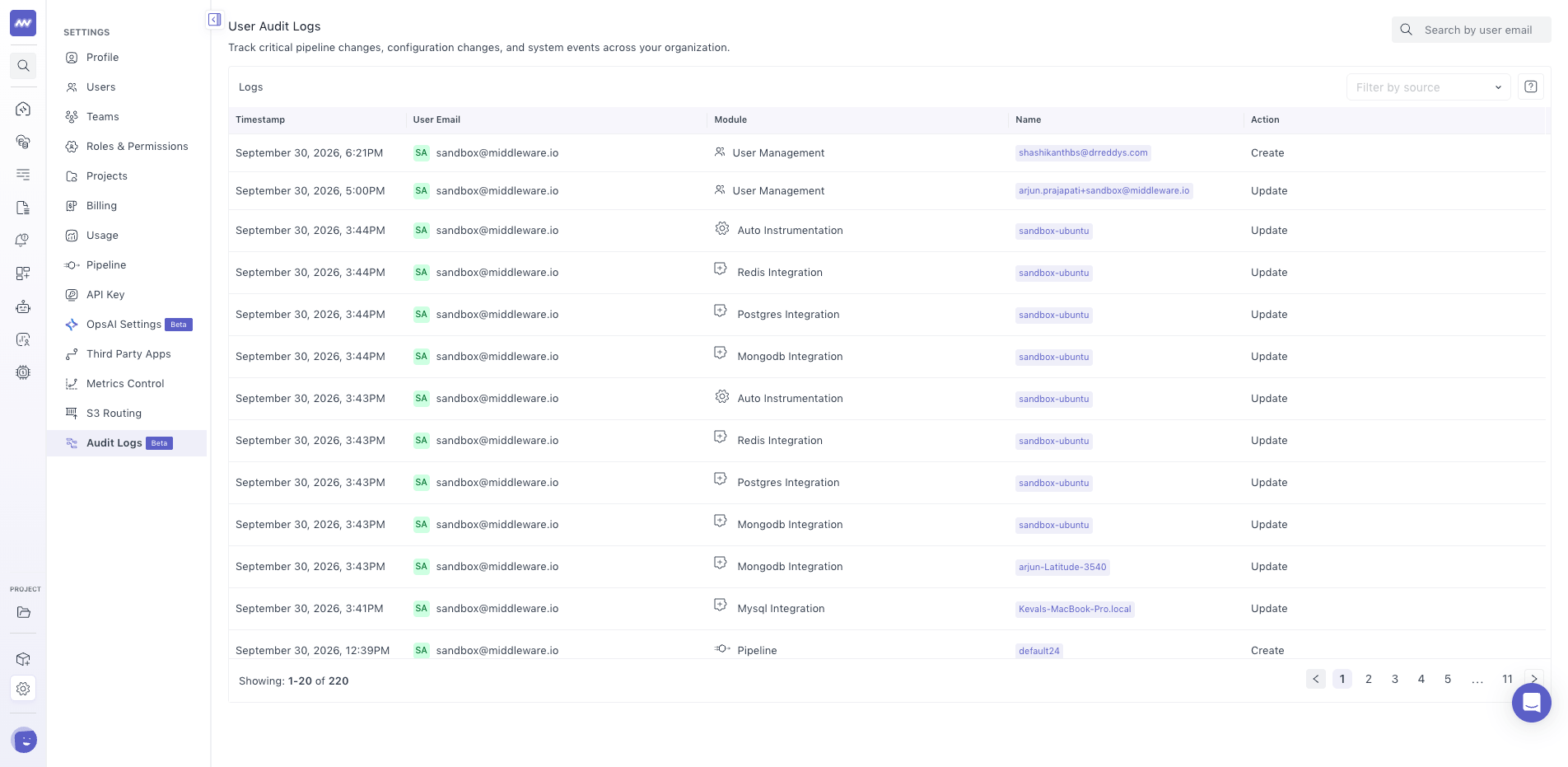
Middleware Audit Logs provides a history of important account actions and configuration changes, helping administrators investigate what changed in the account.
Audit logs provide a history of actions such as creating, updating, or deleting users, teams, pipelines, integrations, API keys, and other account settings.
For example, the history can help investigate a change to team access, an integration configuration, or an API key.
View Audit Logs#
Go to: Settings → Audit Logs
The Audit Logs page displays recorded activities performed within your Middleware account. Admin access is required to access audit logs.
Tracked Activities#
Audit logs capture important actions and configuration changes across Middleware.
These can include:
- User management changes
- Team changes
- Pipeline changes
- Integration configuration changes
- API key creation or updates
- Changes to other important account settings
Depending on the resource, activities can include actions such as:
- Create
- Update
- Delete
What did you think of this content?