Log Anomaly
Overview#
Middleware Log Anomaly Detection compares current log activity with historical patterns to identify unusual volume or message behavior.
It helps surface changes such as unexpected log volume, new log patterns, inactive patterns, or changes in normal logging behavior across services.
Use detected anomalies to prioritize log changes that need investigation. An unusual pattern identifies a change in behavior; related logs and service context help determine its cause and impact.
Middleware analyzes ingested logs and aggregates detected patterns using attributes such as:
- Environment
- Service
- Source
- Severity
These aggregated log patterns are continuously evaluated for anomalous behavior.
How Anomaly detection works in logs#
Log Anomaly Detection evaluates both the frequency of logs and the content of log messages.
It uses two types of analysis:
- Time-based analysis: Detects unusual increases or decreases in log volume over time.
- Content-based analysis: Detects log patterns or message content that differs from previously observed behavior.
An anomaly is triggered when the percentage of anomalous logs within a one-minute window exceeds the configured threshold:
(Anomalous Logs per Minute / Total Logs per Minute) > Threshold
This allows Middleware to detect both changes in log volume and changes in log patterns relative to the service's normal behavior.
View Log Anomalies#
To view log anomalies, go to Log Monitoring → Anomalies.
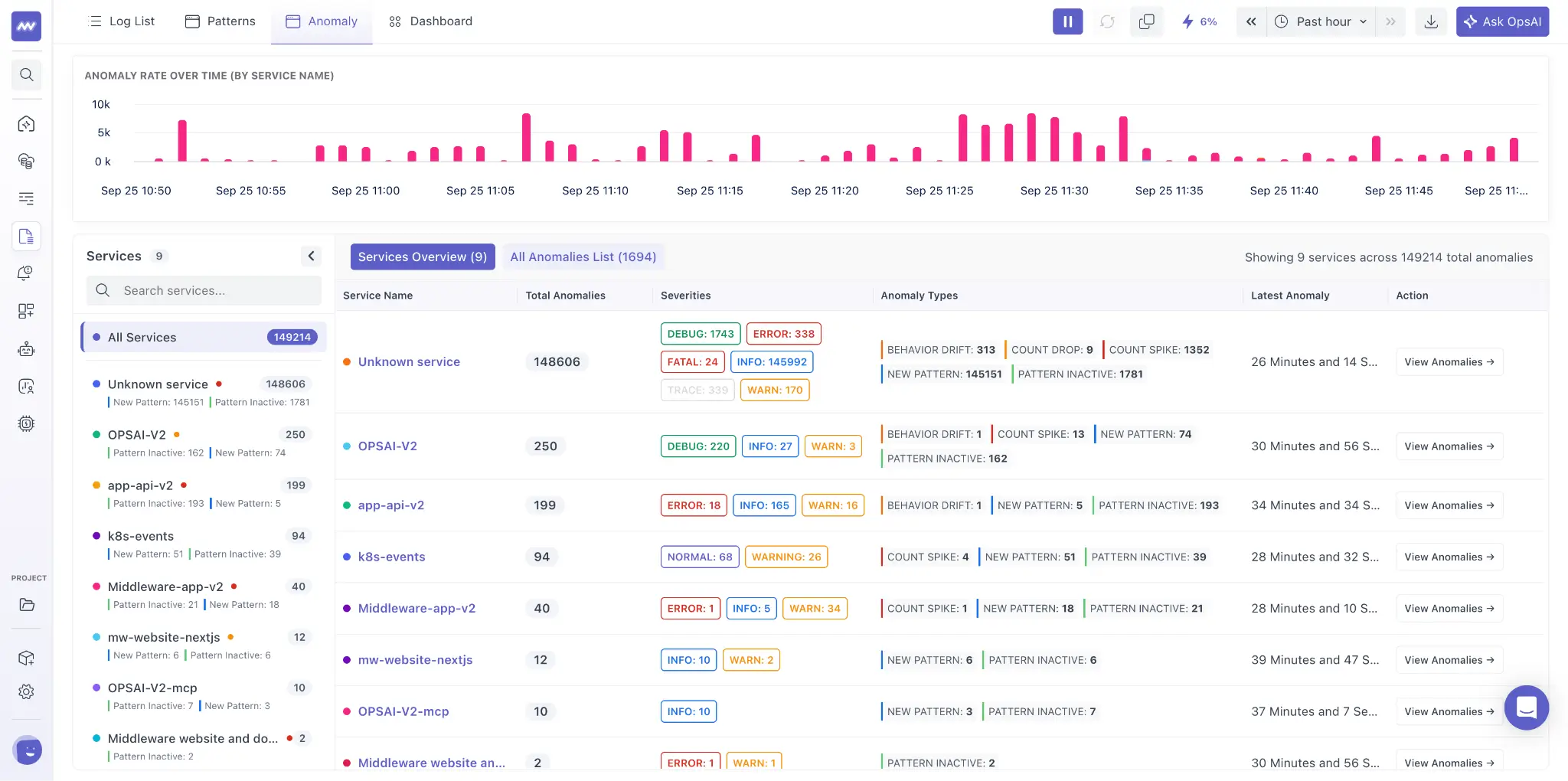
The Anomalies page includes:
- A timeline chart showing detected anomalies over time.
- A table containing anomalies grouped by service.
- A service list that you can use to filter anomalies for a specific service.
Use the service list on the left to select a specific service and view only its related anomalies.
Middleware detects five types of log anomalies:
- Count Spike: Log volume increases significantly compared with the expected level.
- Count Drop: Log volume decreases significantly compared with the expected level.
- New Pattern: A previously unseen log pattern starts appearing.
- Pattern Inactive: A previously active log pattern stops generating logs.
- Behavior Drift: The behavior of an existing log pattern changes significantly from its historical behavior.
Anomaly details and analysis#
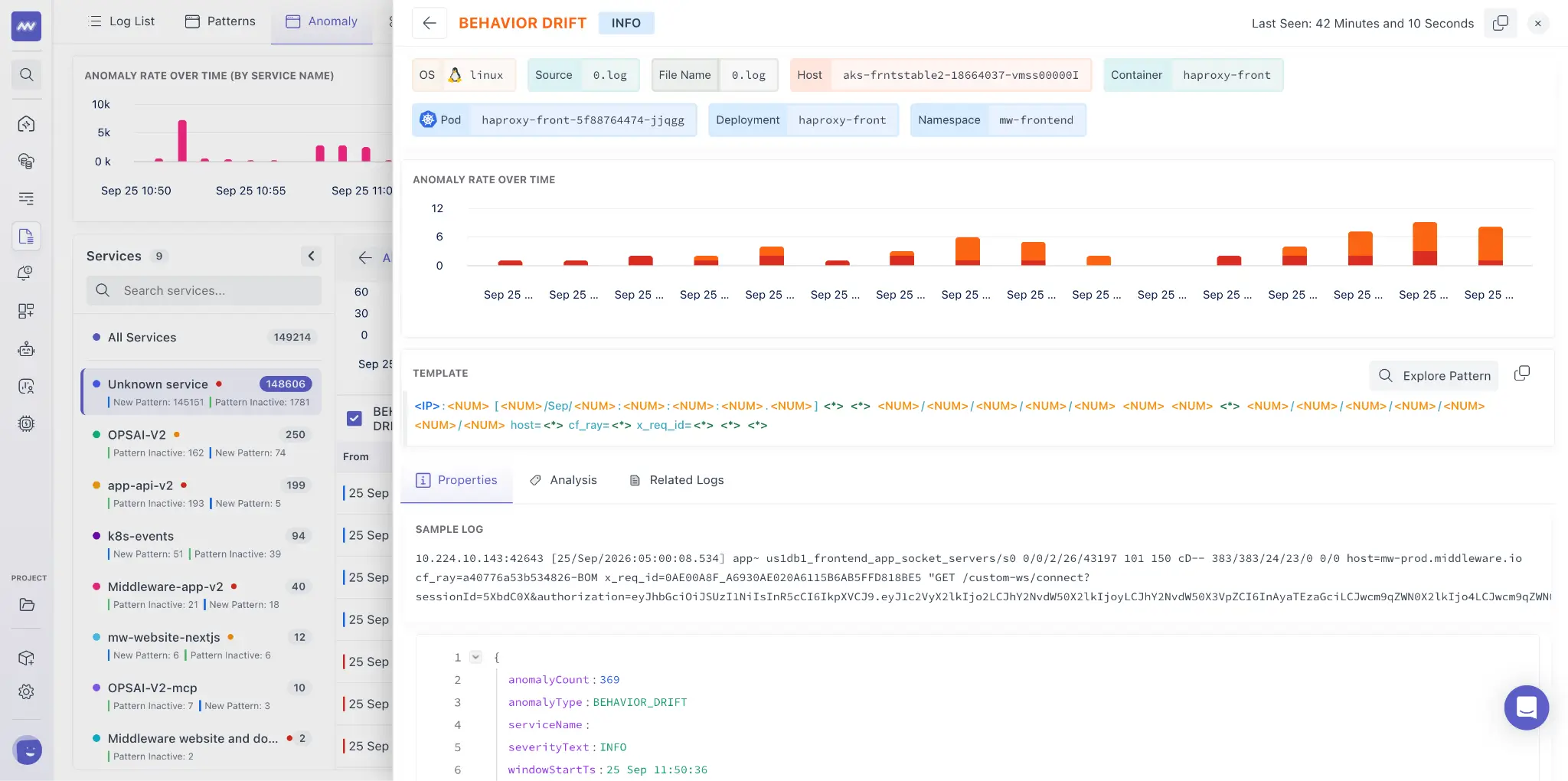
Select an anomaly from the table to open its details in the side panel.
The panel includes:
- Log attributes: Key attributes associated with the affected logs.
- Anomaly chart: Shows how the detected behavior changed over time.
- Log pattern: Displays the log pattern associated with the anomaly.
- Log properties: Additional properties of the logs involved in the anomaly.
The chart, pattern, and attributes show which service changed, what changed, and when the change began.
Analysis#
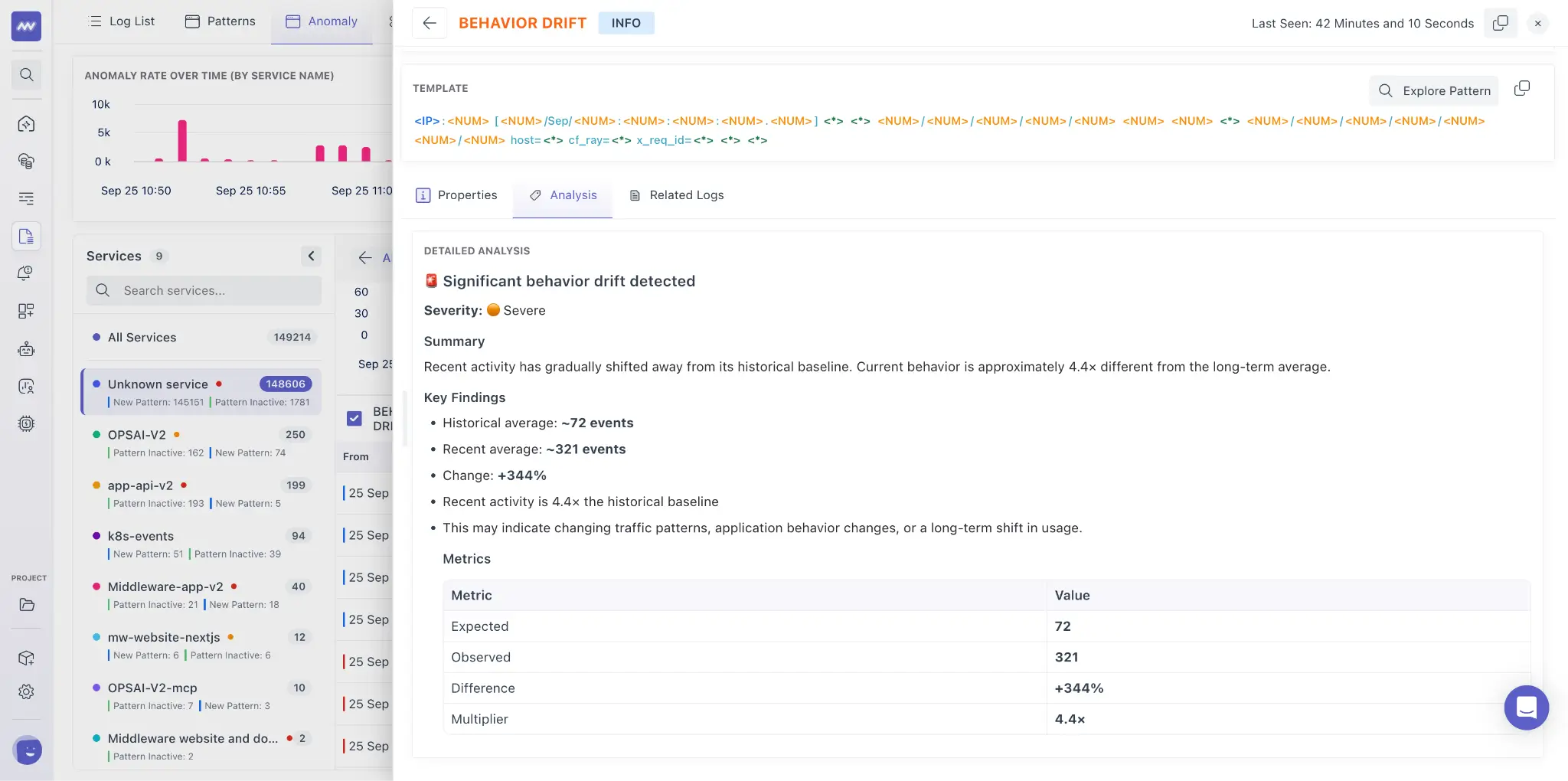
Each detected anomaly can be analyzed by OpsAI.
The analysis provides additional context about the anomaly, including:
- What changed and why the activity was classified as anomalous.
- The expected value or behavior.
- The actual value or behavior observed.
- Additional information that can help with investigation.
Use this analysis together with the anomaly chart, log pattern, and log attributes to investigate the affected service.
Need assistance or want to learn more about Middleware? Get in touch with us via our Contact Us or join our Slack channel.
What did you think of this content?