Multistep API testing
Middleware Multistep API Testing monitors workflows made up of dependent API requests. A later request can use data returned by an earlier step, allowing one test to follow a complete application workflow.
It lets you monitor workflows that require multiple dependent API requests.
You can use the response from one step as input to a later step to test workflows such as authentication, product search, checkout, or any API sequence where requests depend on previous responses.
Typical workflows include authentication, product search, and checkout. Testing the sequence helps reveal failures in how requests work together that an isolated endpoint check may miss.
For example: Step 1: Get product category ↓ Step 2: Use category to search products ↓ Step 3: Use product data in the next request
Create a Multistep API Test#
Go to: Synthetic Monitoring → Add New Test
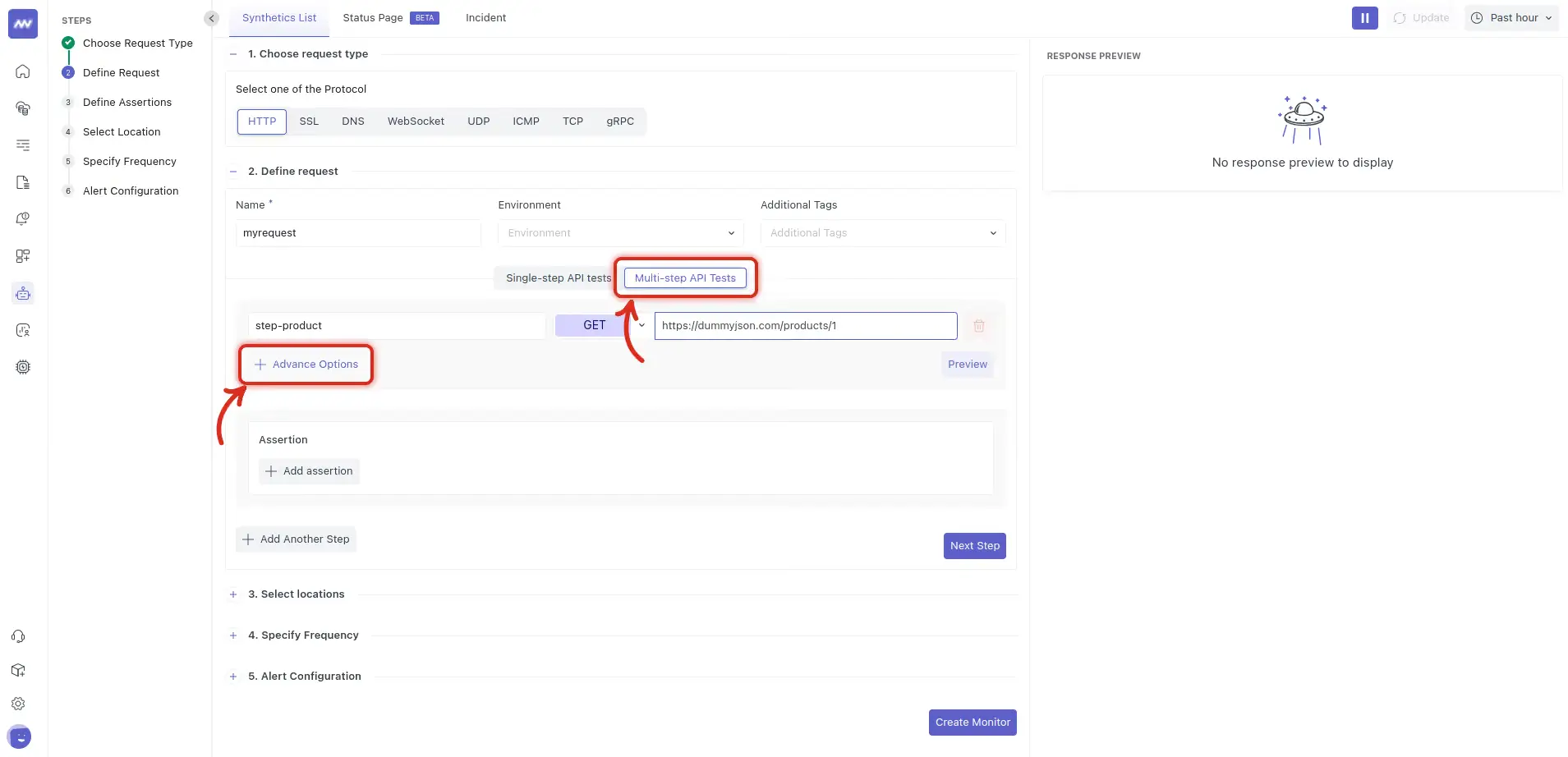
Select HTTP as the request type, then select Multi-step API Tests as the test type.
Configure the First Step#
Under Define Request, configure the first request in your workflow.
Enter:
- Name: A name for the synthetic test.
- Environment: The environment where the endpoint is running.
- Additional Tags: Tags for identifying the service, team, or other context.
- Test Type: Select Multi-step API Tests.
- HTTP Method: Select the request method, such as GET, POST, PUT, or DELETE.
- URL: Enter the endpoint for the first request.
Give each step a clear name that describes what the request does.
For example: step-product
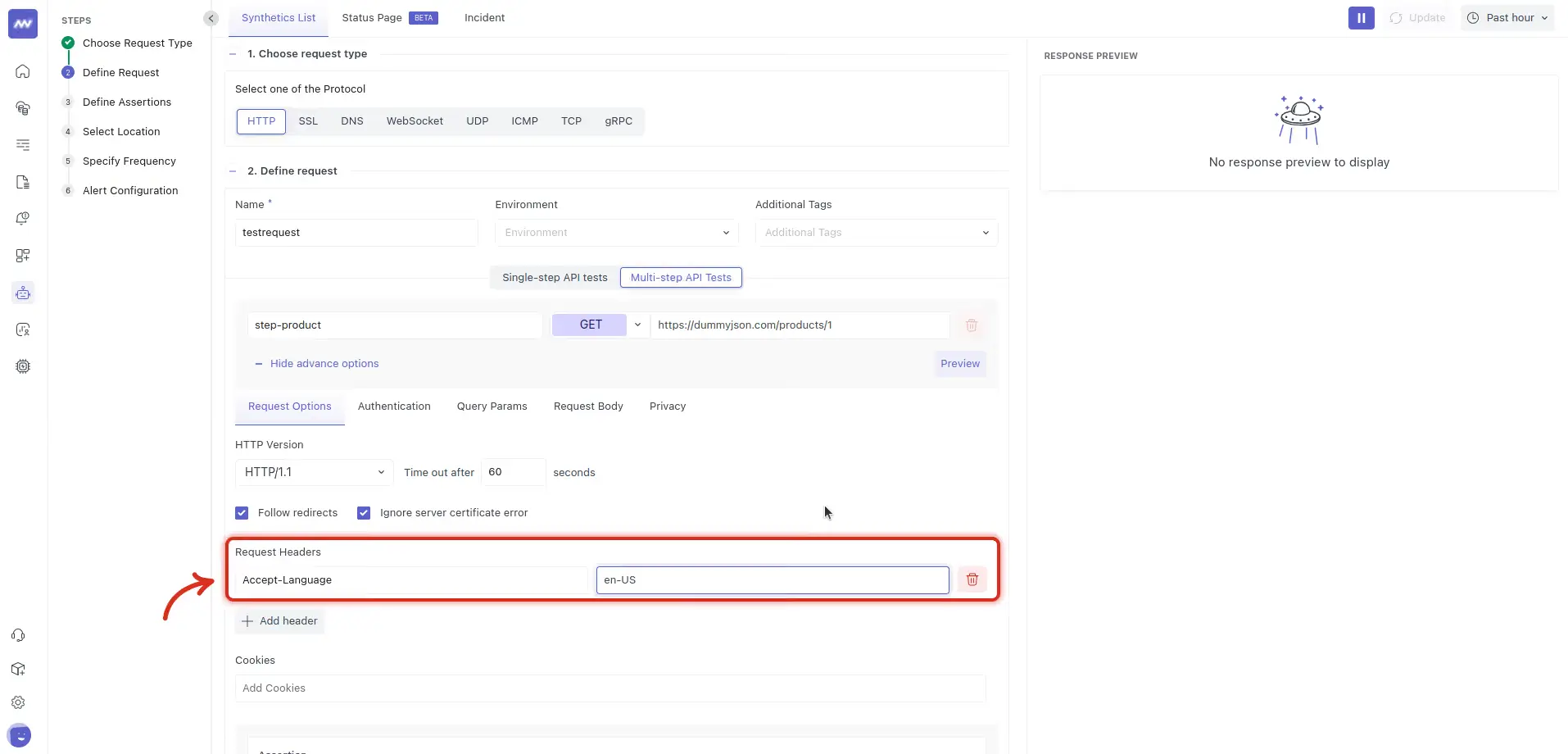
Configure Advanced Options#
Open Advanced Options to configure additional request settings.
Available options include: Request Options, Authentication, Query Params, Request Body, Privacy
Under Request Options, you can configure settings such as: HTTP version, Request timeout, Follow redirects, Ignore server certificate errors, Request headers, Cookies
Configure authentication, query parameters, or the request body based on what the endpoint requires.
Preview the Request#
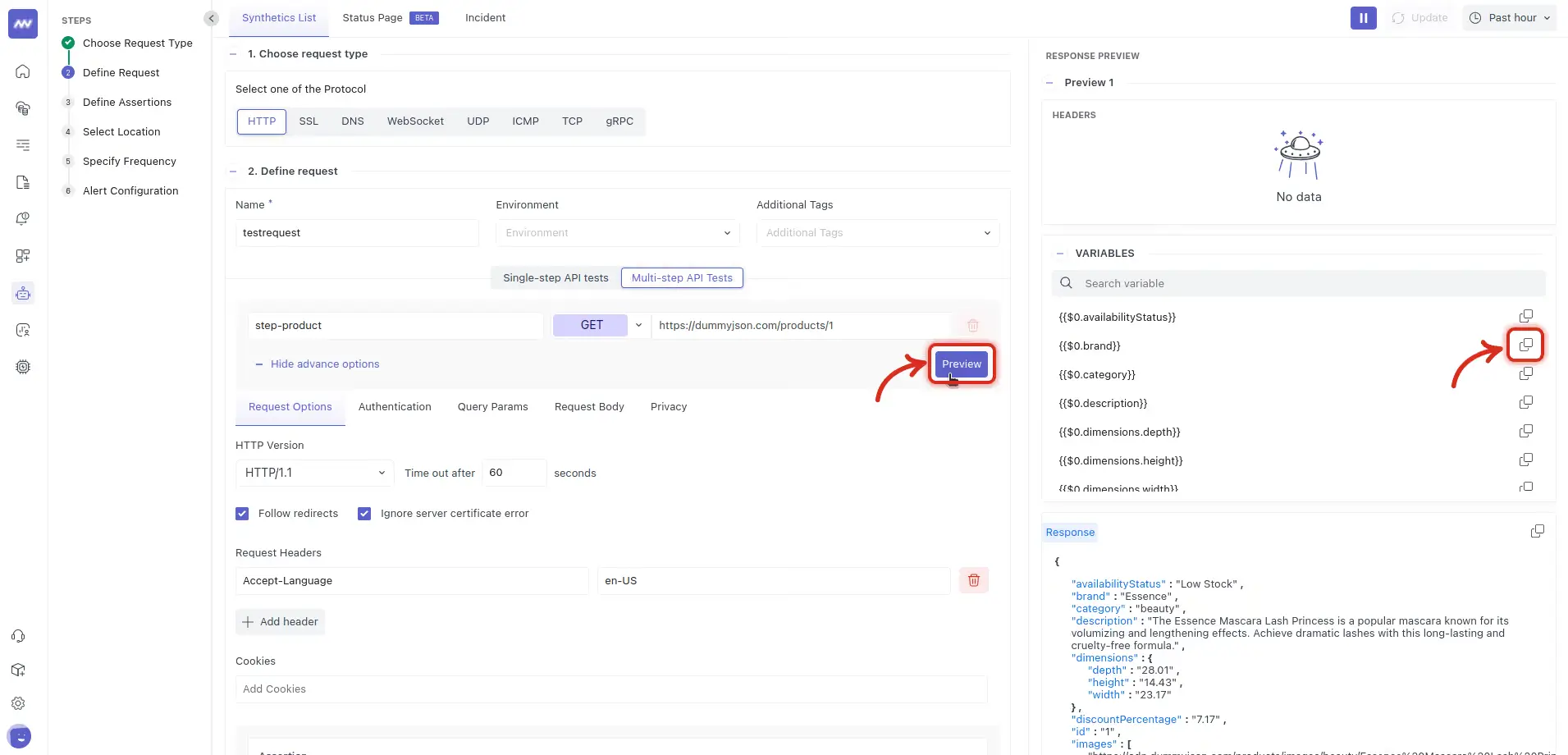
Select Preview to execute the configured request before adding the next step.
The preview panel shows:
- Response: Raw response body.
- Headers: Response headers.
- Variables: Response values available for use in later steps.
Use the preview to verify that the request works as expected and identify values that need to be passed to another request.
Use Variables Between Steps#
Values returned by one step can be reused in subsequent steps.
Variables use the step index to identify where the value originated.
For example: {{$0.category}}
Here, 0 refers to the first step and category is a value captured from its response.
Copy the required variable from the Variables section in the request preview.
These variables connect requests together and allow later steps to use data returned by previous steps.
Add Another Step#
Add the next request in the API workflow. For example, create a second step: step-search
Configure its HTTP method and URL, then use values captured from the previous step wherever they are required.
Variables can be used in: URL paths , Query parameters, Headers, Request bodies
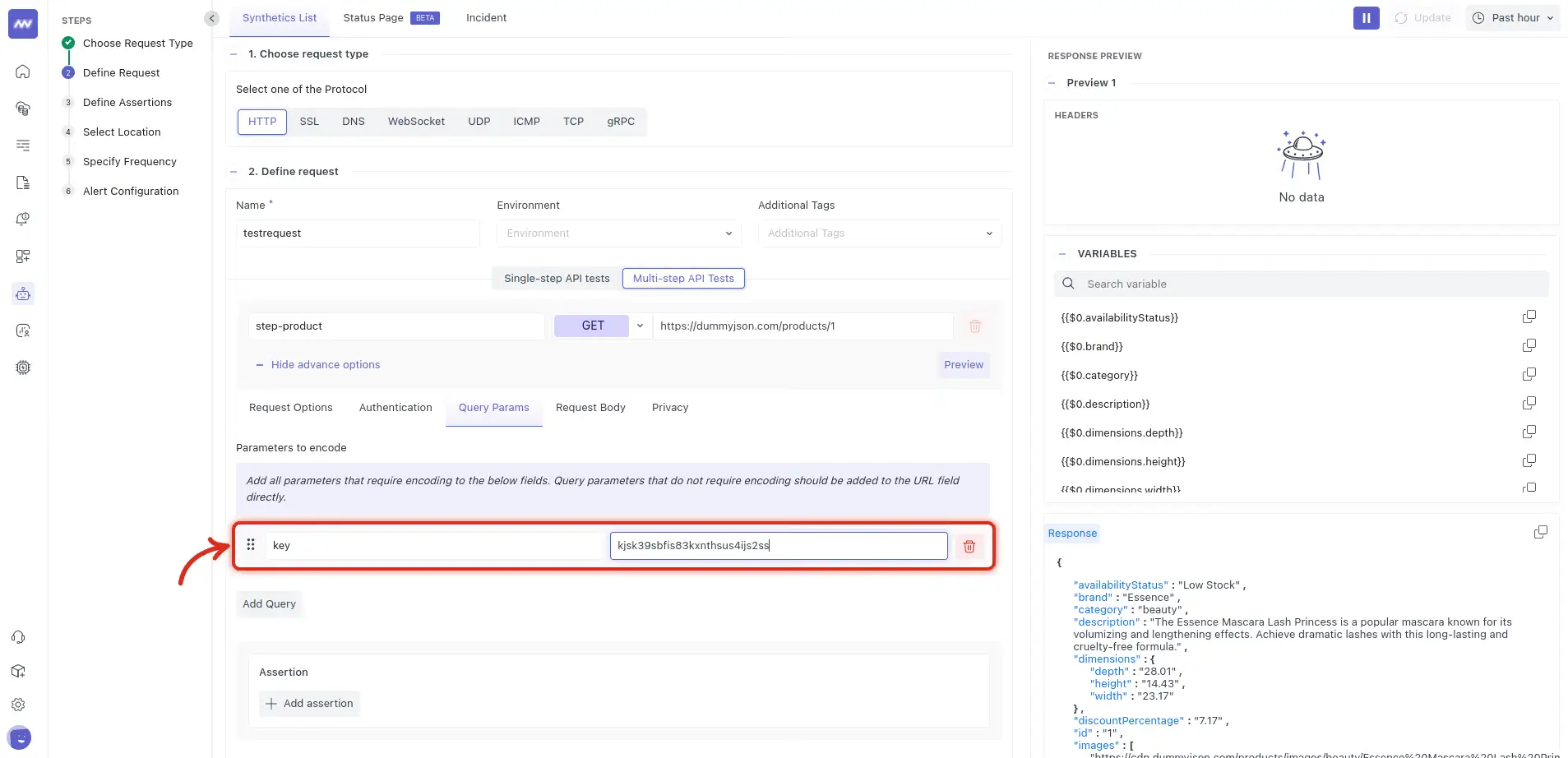
For example, to pass the category returned by Step 1 into Step 2:
- Open Advanced Options → Query Params.
- Add a parameter named category.
- Set its value to:
{{$0.category}}
Step 2 now uses the value returned by Step 1 when the test runs.
Step 1 Response: category = shoes ↓ {{$0.category}} ↓ Step 2 Query Param: category = shoes
Repeat this process to add additional dependent requests to the workflow.
Define Assertions#
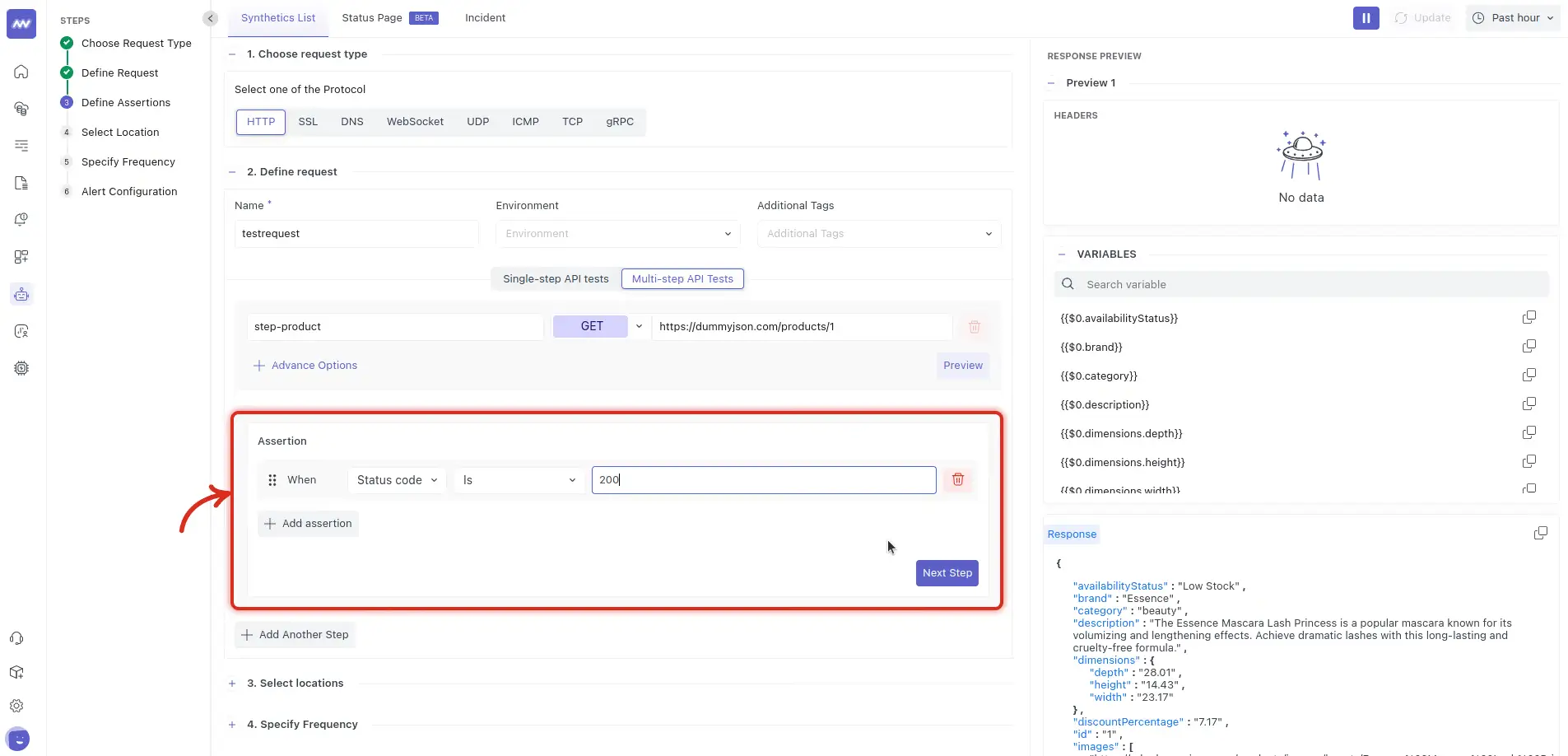
Add assertions to define when the multistep test should pass or fail.
For example : Status code = 200 or: Response time < 500 ms
Assertions configured for a multistep monitor are applied to every step.
Make sure each assertion is valid for all requests in the workflow. For example, a status-code assertion of 200 should only be used when every step is expected to return that status.
Select Test Locations#
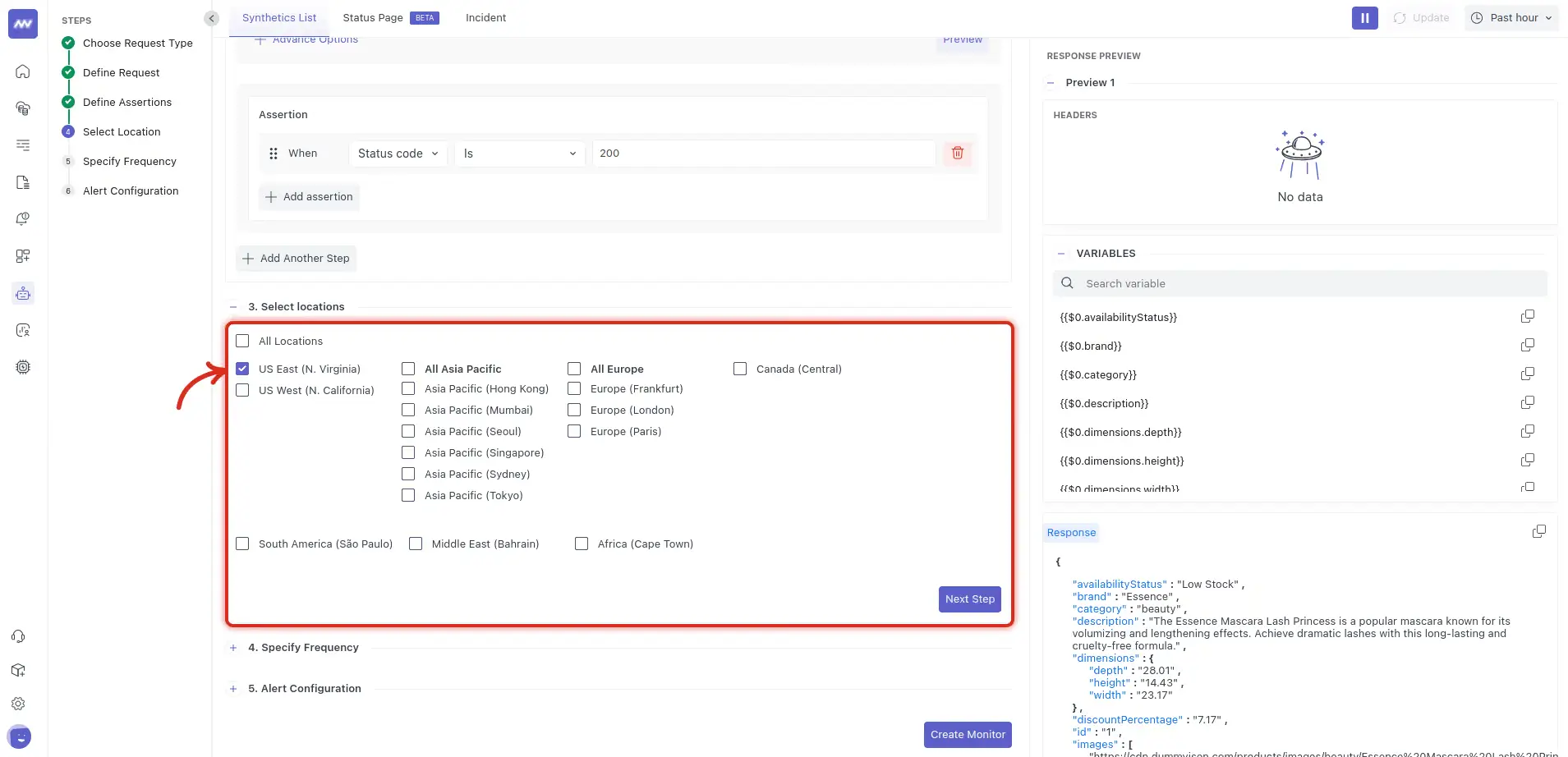
Choose one or more locations from which the multistep test should run.
Start with one location while validating the workflow, then add additional locations when you need to monitor regional behavior.
If your endpoints use an IP allow-list, make sure the corresponding Middleware synthetic agent IPs are allowed.
Set the Run Frequency#
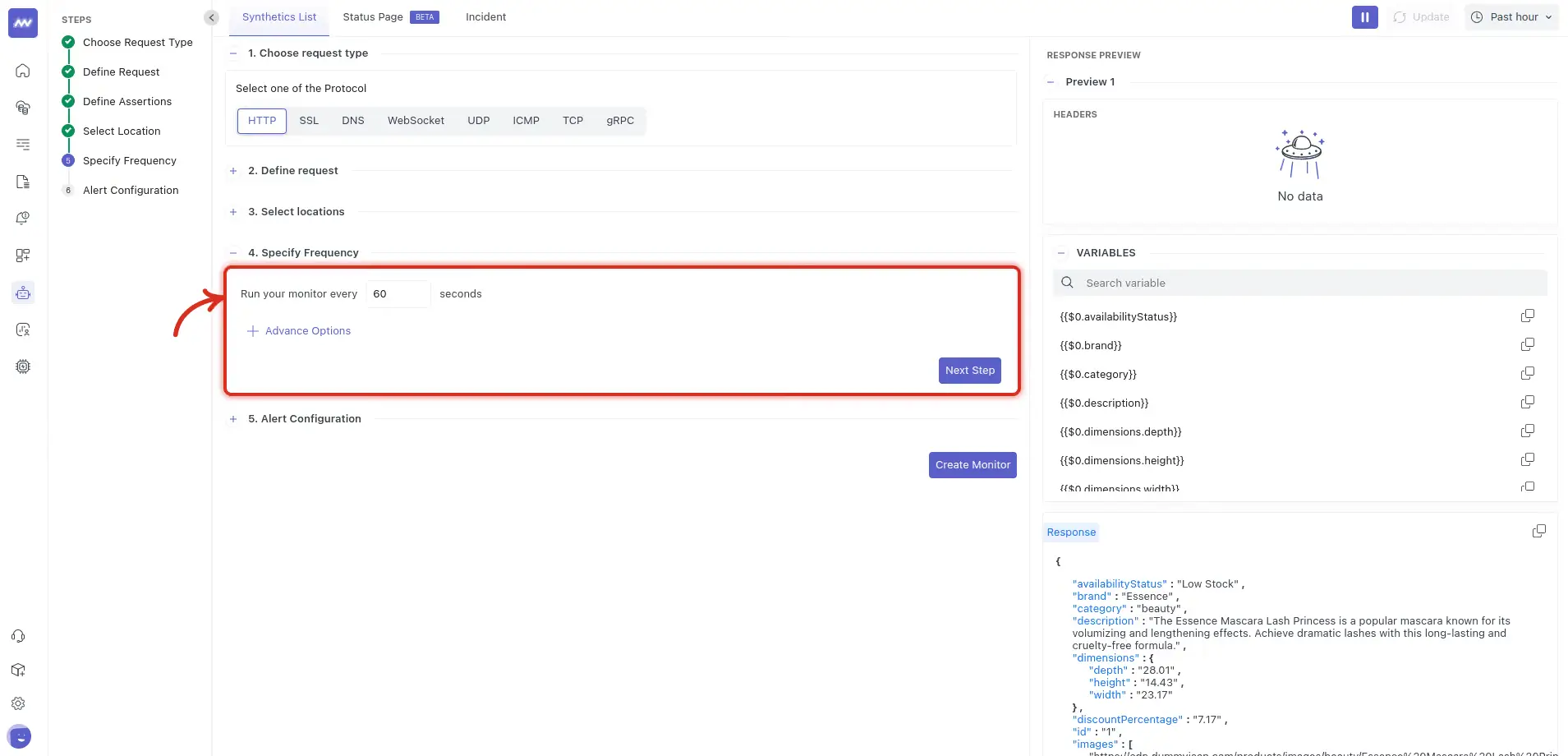
Configure how often Middleware should execute the complete multistep workflow.
The selected frequency applies to the monitor and determines how often the sequence of API requests is executed.
Choose the frequency based on how quickly you need to detect a failure and how much synthetic traffic the workflow generates.
Configure Notifications#
Configure where notifications should be sent when the multistep test fails.
Available notification sources include: Email , Slack , Opsgenie, PagerDuty
Select the required recipients and configure notification behavior such as:
- Re-notification settings.
- Number of failures required before triggering a notification.
After completing the configuration, create the monitor.
How Multistep API Tests Work#
When the monitor runs, Middleware executes the configured steps in sequence.
Step 1 ↓ Capture response variables ↓ Step 2 uses Step 1 variables ↓ Capture response variables ↓ Step 3 uses previous values ↓ Validate assertions
If a later request depends on a variable from an earlier step, that value is resolved when the test runs.
A multistep test verifies the request sequence and the data passed between steps, giving you a result for the workflow as a whole.
Troubleshooting#
A variable is not available in the next step#
Preview the previous request and confirm that the required value appears under Variables.
Also verify that the variable uses the correct step index.
For example:
{{$0.category}} references
What did you think of this content?