Teams
Middleware Users and Teams control who can access your account and how access is organized. User roles define access, project assignments determine available projects, and teams let you manage groups of users together.
You can:
- Invite users to your account.
- Assign roles to users.
- Control which projects users can access.
- Create teams to group users.
- Assign roles to teams.
Manage Users#
Go to: Settings → Users
The Users page lets you view and manage users in your Middleware account.
From here, you can invite new users and configure their access.
Invite a User#
You need Admin access to invite new users.
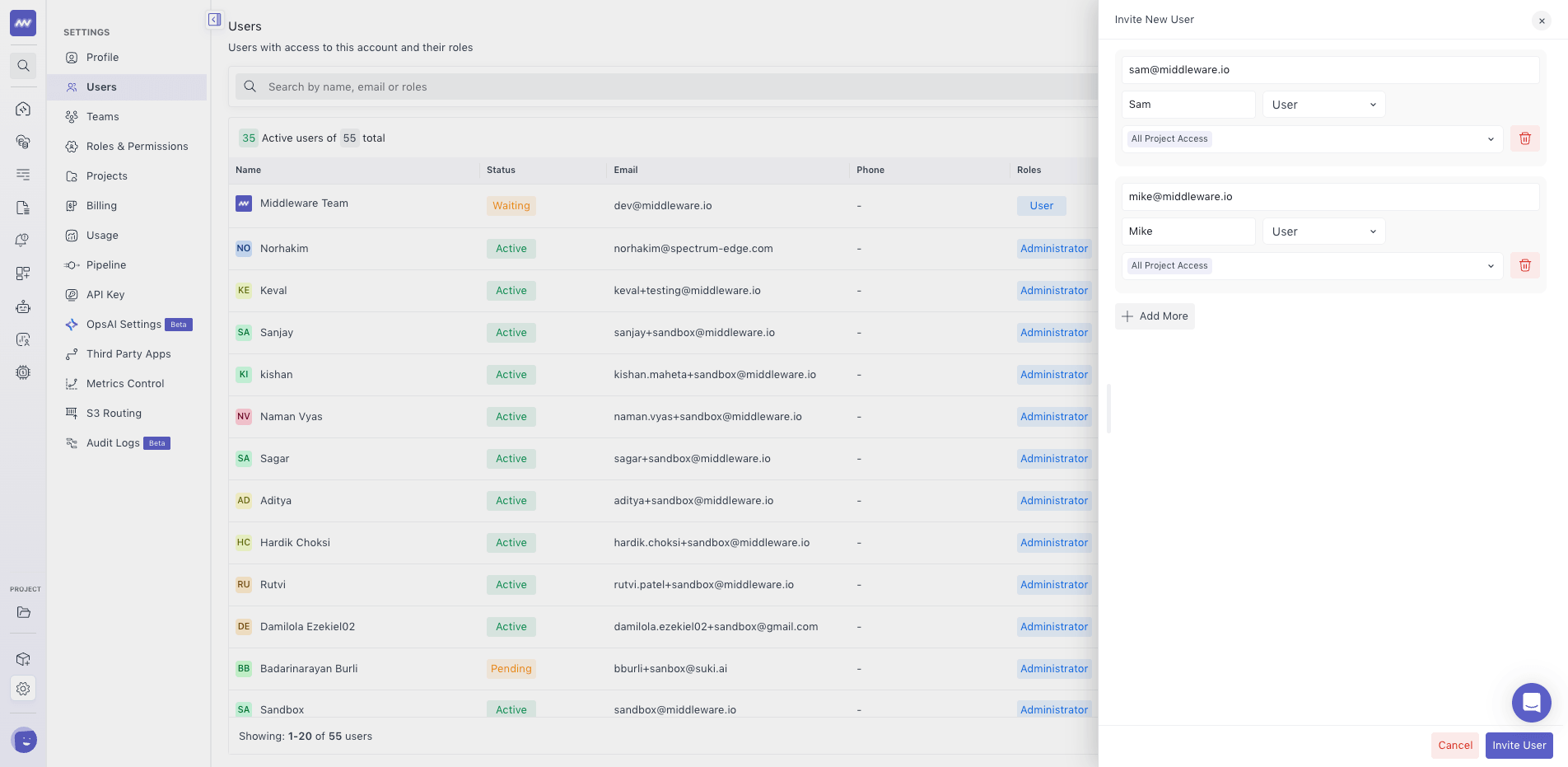
From Settings → Users, select the option to invite a new user.
While inviting the user, configure:
- Role: Select the role you want to assign, such as User or Admin.
- Projects: Select the projects the user should have access to.
Send the invitation after reviewing the access configuration.
The user receives access based on the selected role and projects.
Manage Teams#
Teams group users so their role can be managed together, which is useful when people share the same responsibilities.
Go to: Settings → Teams
From the Teams page, you can create and manage teams in your Middleware account.
Create a Team#
To create a team:
- Go to Settings → Teams.
- Select Create New Team.
- Enter the Team Name.
- Select the Role you want to assign to the team.
- Select the Users you want to add to the team.
- Create the team.
Need assistance or want to learn more about Middleware? Get in touch with us via our Contact Us or join our Slack channel.
What did you think of this content?