Product Analytics
Product Analytics provides visibility into how users interact with your application.
Use Product Analytics to understand user and session activity, navigation paths, drop-off points, traffic sources, and product adoption. These views help you identify where users leave a workflow and which paths they use most often.
Go to:
Real User Monitoring → Applications → select an application → Product Analytics
User Overview#
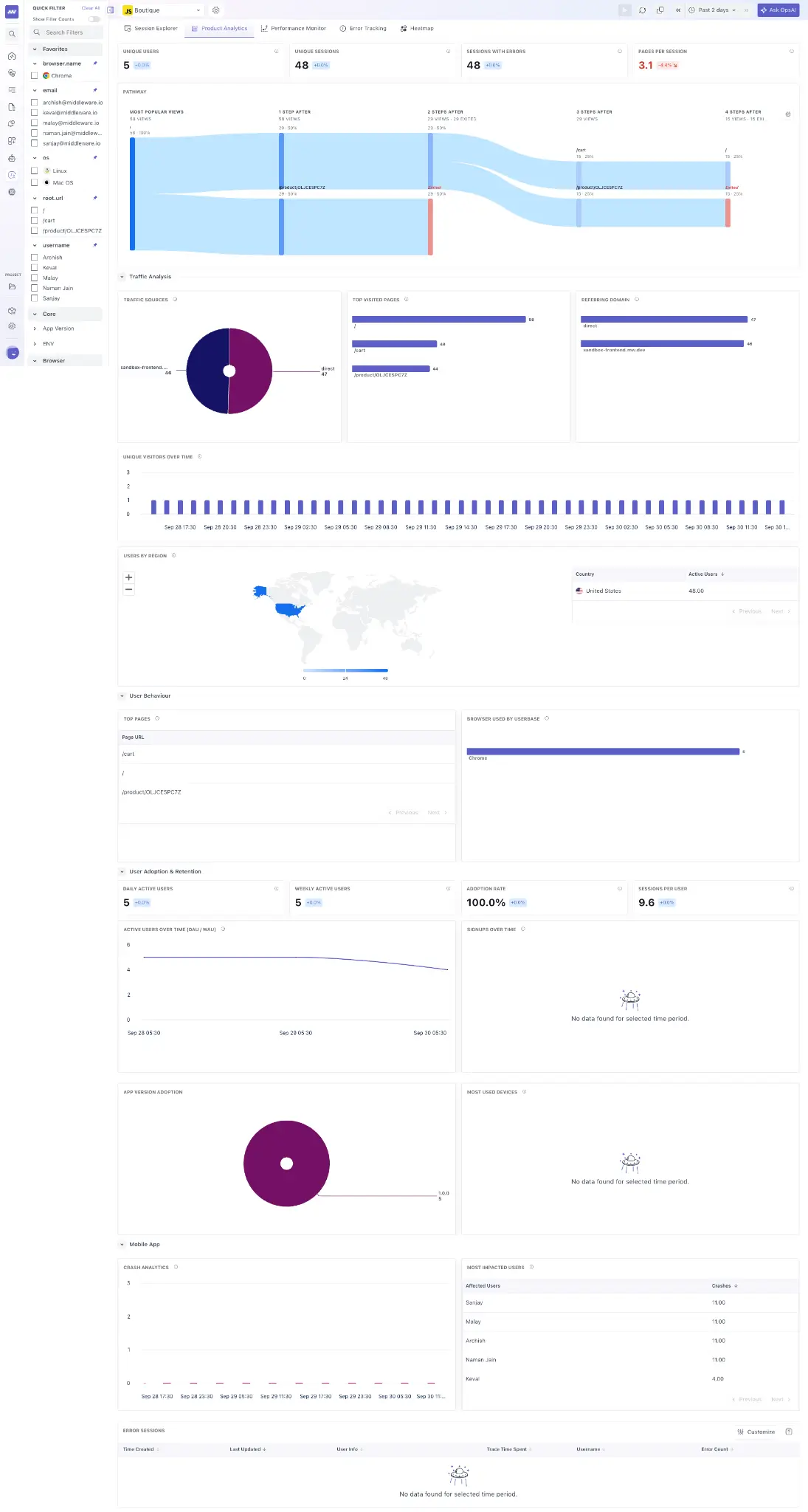
The Product Analytics dashboard provides key metrics about users and their sessions.
These include:
- Unique Users: Number of distinct users interacting with the application.
- Unique Sessions: Number of individual user sessions.
- Sessions with Errors: Sessions where users encountered errors.
- Pages per Session: Number of pages users visit during a session.
Use these metrics to understand overall product usage and how users engage with the application over the selected time range.
Pathway#
Pathway visualizes how users move through your application.
The journey view shows the sequence of pages users visit and how traffic flows between them, making common navigation paths and departures easier to identify.
Use Pathway to identify:
- Pages receiving the most traffic.
- Common paths users take through the application.
- Where users continue to another page.
- Where users leave or drop off.
For example, you can follow traffic from an entry page through subsequent pages to identify where a large portion of users stop progressing through a workflow.
Traffic Analysis#
Traffic Analysis shows where application traffic originates and which pages receive the most visits.
You can analyze traffic using information such as:
- Traffic sources
- Top visited pages
- Domains
- Regions
Use these metrics to understand how users reach your application, which pages receive the most traffic, and how usage varies across different regions or sources.
User Adoption#
The User Adoption section provides metrics for understanding how frequently users return to and interact with your application.
Metrics include:
- DAU: Daily Active Users.
- MAU: Monthly Active Users.
- Adoption Rate: Product adoption across users.
- Sessions per User: Average number of sessions generated by users.
Use these metrics to monitor changes in active usage and understand whether users continue to return to the application over time.
Mobile App Analytics#
For mobile applications, Product Analytics provides additional visibility into crashes and their impact on users.
You can monitor:
- Crash analytics
- Users impacted by crashes
- Sessions with errors
Use these metrics to understand how application crashes and errors affect the mobile user experience.
What did you think of this content?